Production
design system
Production
design system
Cuerpo Altar is a lifestyle brand focused on creating energetic spaces through meditation and breathwork workshops, as well as offering various therapies. Soon, it will launch its own line of skincare products made with natural ingredients.
Cuerpo Altar is a lifestyle brand focused on creating energetic spaces through meditation and breathwork workshops, as well as offering various therapies. Soon, it will launch its own line of skincare products made with natural ingredients.
Client:
Client:
Amazon Device
Brand studio
Amazon Device
Brand studio
Role:
Role:
Production
Design Lead
Production
Design Lead
Year:
Year:
2024
2024
Production
design system
Production
design system
Cuerpo Altar is a lifestyle brand focused on creating energetic spaces through meditation and breathwork workshops, as well as offering various therapies. Soon, it will launch its own line of skincare products made with natural ingredients.
Cuerpo Altar is a lifestyle brand focused on creating energetic spaces through meditation and breathwork workshops, as well as offering various therapies. Soon, it will launch its own line of skincare products made with natural ingredients.
Client:
Client:
Amazon Device
Brand studio
Amazon Device
Brand studio
Role:
Role:
Production
Design Lead
Production
Design Lead
Year:
Year:
2024
2024
Production
design system
Production
design system
Cuerpo Altar is a lifestyle brand focused on creating energetic spaces through meditation and breathwork workshops, as well as offering various therapies. Soon, it will launch its own line of skincare products made with natural ingredients.
Cuerpo Altar is a lifestyle brand focused on creating energetic spaces through meditation and breathwork workshops, as well as offering various therapies. Soon, it will launch its own line of skincare products made with natural ingredients.
Client:
Client:
Amazon Device
Brand studio
Amazon Device
Brand studio
Role:
Role:
Production
Design Lead
Production
Design Lead
Year:
Year:
2024
2024
Production
design system
The objective of this project was to migrate our production design templates from Photoshop to Figma in order to enhance our design workflow and increase efficiency. Our previous workflow was hindered by manual updates, time-consuming processes, and the need for each asset to be individually managed within PSD folders. Figma offered a more agile and streamlined solution that significantly optimized our design process.
Client:
Amazon Device
Brand studio
Role:
Production Design Lead
Year:
2024
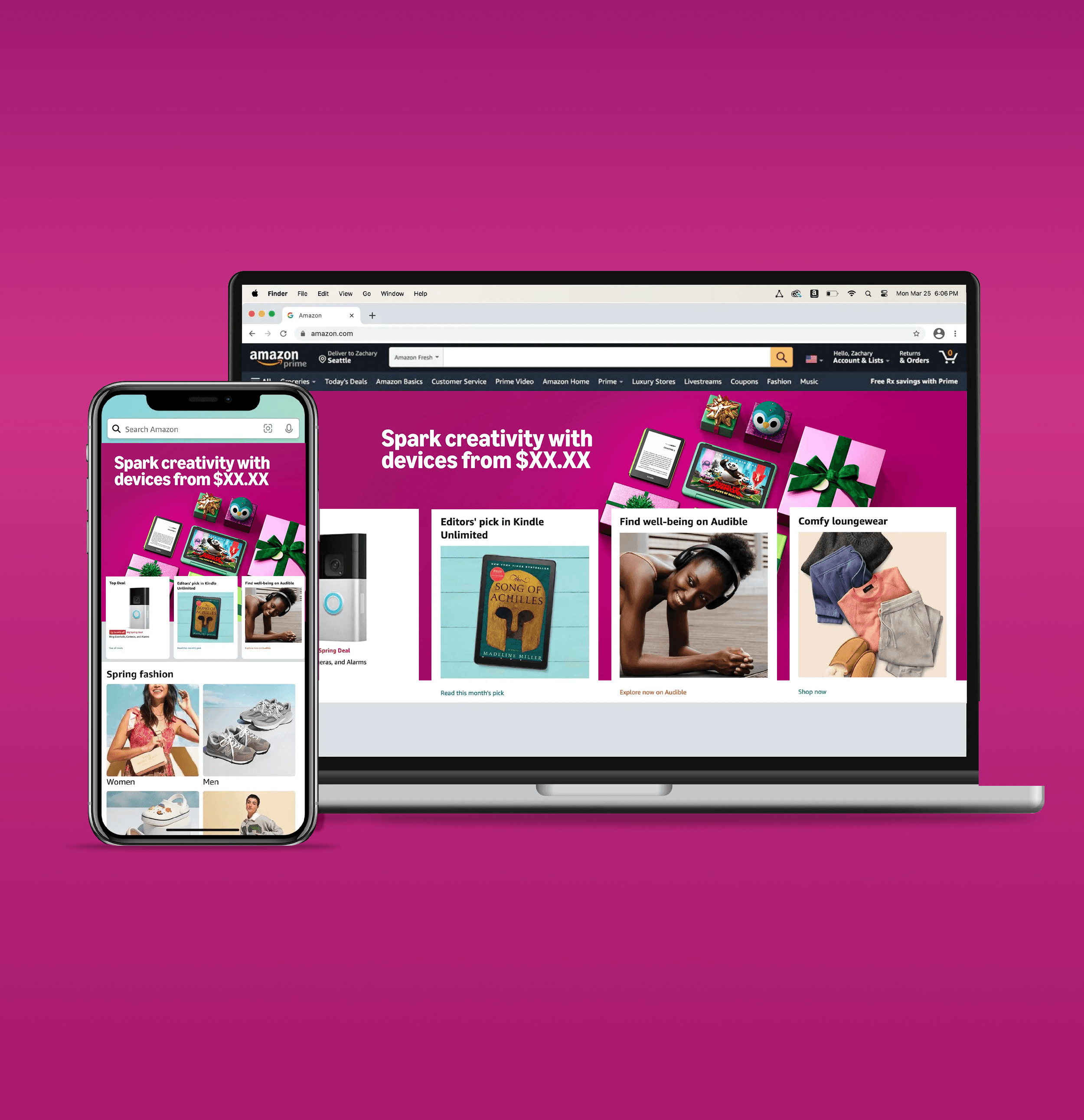
In our previous state, our production design process required Adobe Photoshop (PSD) templates. These templates were divided by asset group (Homepage, Onsite, Email, ADA, Social, Image Map, Launch On-Whites, Slates, Banners, Outbound Assets, and Amazon Business Assets). Due to the nature of our Lines of Business (Go to Market & Online Sales Events), we were unable to build campaign tiers or have predetermined sets of assets per tier in one PSD file to build all assets at once, which meant we had to handle multiple PSD files when working on a campaign that encompassed multiple asset groups.
50% increased efficiency
• Increased Efficiency: Figma’s collaborative interface and advanced features, such as component libraries,
real-time updates, and shared styles, will significantly reduce time spent on manual updates and asset
management. Shared styles allow us to set universal properties for elements like colors, typography, and
effects that can be applied across all assets. When changes are needed, these updates automatically apply
to all assets using that style, keeping designs consistent and eliminating repetitive adjustments. By
transitioning to Figma, we anticipated a 50% improvement in production time, reducing the average time
per asset from 60 minutes to just 24 minutes.
• Optimized Workflow: Enable an agile design workflow that allows the team to perform design changes
faster, without the need to open multiple files to adjust assets after feedback from requesters is received.
In average we receive 55.6% of rework due to changes in the scope of the ask after delivery, performing
this changes in current state can take up to 45 minutes per asset, with the implementation of Figma we
aim to reduce our turn around times for changes by 50%.
• Improved quality and consistency: Transitioning to Figma enabled designers to view and work on entire
campaigns holistically, rather than tackling assets in isolation. In Figma, designers were able to access and
update components within a single campaign file, allowing them to see all assets and ensure alignment as they
design. This “campaign-focused” approach will maintain brand consistency across all sizes and formats,
improve the visual unity of our campaigns, and ultimately reduce production time by minimizing
repetitive adjustments.
• Collaboration and Scalability: Figma’s cloud-based platform enabled real-time collaboration, allowing
teams to work together seamlessly and scale projects more efficiently. This eliminated the need to upload
assets to a Drive and download work from other designers if a handoff is required, streamlining the
workflow and making project takeovers much smoother.
• File Size and Sharing: As mentioned, Figma’s cloud-based platform allows files to be stored online.
However, we expect Figma files to be less data-intensive than .psd files, where a single campaign folder can currently reach up to 5 GB or more.
In our previous state, our production design process required Adobe Photoshop (PSD) templates. These templates were divided by asset group (Homepage, Onsite, Email, ADA, Social, Image Map, Launch On-Whites, Slates, Banners, Outbound Assets, and Amazon Business Assets). Due to the nature of our Lines of Business (Go to Market & Online Sales Events), we were unable to build campaign tiers or have predetermined sets of assets per tier in one PSD file to build all assets at once, which meant we had to handle multiple PSD files when working on a campaign that encompassed multiple asset groups.
50% increased efficiency
• Increased Efficiency: Figma’s collaborative interface and advanced features, such as component libraries, real-time updates, and shared styles, will significantly reduce time spent on manual updates and asset management. Shared styles allow us to set universal properties for elements like colors, typography, and effects that can be applied across all assets. When changes are needed, these updates automatically apply to all assets using that style, keeping designs consistent and eliminating repetitive adjustments. By transitioning to Figma, we anticipated a 50% improvement in production time, reducing the average time per asset from 60 minutes to just 24 minutes.
• Optimized Workflow: Enable an agile design workflow that allows the team to perform design changes faster, without the need to open multiple files to adjust assets after feedback from requesters is received. In average we receive 55.6% of rework due to changes in the scope of the ask after delivery, performing this changes in current state can take up to 45 minutes per asset, with the implementation of Figma we aim to reduce our turn around times for changes by 50%.
• Improved quality and consistency: Transitioning to Figma enabled designers to view and work on entire campaigns holistically, rather than tackling assets in isolation. In Figma, designers were able to access and update components within a single campaign file, allowing them to see all assets and ensure alignment as they design. This “campaign-focused” approach will maintain brand consistency across all sizes and formats,
improve the visual unity of our campaigns, and ultimately reduce production time by minimizing repetitive adjustments.
• Collaboration and Scalability: Figma’s cloud-based platform enabled real-time collaboration, allowing teams to work together seamlessly and scale projects more efficiently. This eliminated the need to upload assets to a Drive and download work from other designers if a handoff is required, streamlining the workflow and making project takeovers much smoother.
• File Size and Sharing: As mentioned, Figma’s cloud-based platform allows files to be stored online. However, we expect Figma files to be less data-intensive than .psd files, where a single campaign folder can currently reach up to 5 GB or more
In our previous state, our production design process required Adobe Photoshop (PSD) templates. These templates were divided by asset group (Homepage, Onsite, Email, ADA, Social, Image Map, Launch On-Whites, Slates, Banners, Outbound Assets, and Amazon Business Assets). Due to the nature of our Lines of Business (Go to Market & Online Sales Events), we were unable to build campaign tiers or have predetermined sets of assets per tier in one PSD file to build all assets at once, which meant we had to handle multiple PSD files when working on a campaign that encompassed multiple asset groups.
50% increased efficiency
• Increased Efficiency: Figma’s collaborative interface and advanced features, such as component libraries, real-time updates, and shared styles, will significantly reduce time spent on manual updates and asset management. Shared styles allow us to set universal properties for elements like colors, typography, and effects that can be applied across all assets. When changes are needed, these updates automatically apply to all assets using that style, keeping designs consistent and eliminating repetitive adjustments. By transitioning to Figma, we anticipated a 50% improvement in production time, reducing the average time
per asset from 60 minutes to just 24 minutes.
• Optimized Workflow: Enable an agile design workflow that allows the team to perform design changes faster, without the need to open multiple files to adjust assets after feedback from requesters is received. In average we receive 55.6% of rework due to changes in the scope of the ask after delivery, performing this changes in current state can take up to 45 minutes per asset, with the implementation of Figma we aim to reduce our turn around times for changes by 50%.
• Improved quality and consistency: Transitioning to Figma enabled designers to view and work on entire campaigns holistically, rather than tackling assets in isolation. In Figma, designers were able to access and update components within a single campaign file, allowing them to see all assets and ensure alignment as they design. This “campaign-focused” approach will maintain brand consistency across all sizes and formats,
improve the visual unity of our campaigns, and ultimately reduce production time by minimizing repetitive adjustments.
• Collaboration and Scalability: Figma’s cloud-based platform enabled real-time collaboration, allowing teams to work together seamlessly and scale projects more efficiently. This eliminated the need to upload assets to a Drive and download work from other designers if a handoff is required, streamlining the workflow and making project takeovers much smoother.
• File Size and Sharing: As mentioned, Figma’s cloud-based platform allows files to be stored online. However, we expect Figma files to be less data-intensive than .psd files, where a single campaign folder can currently reach up to 5 GB or more
In our previous state, our production design process required Adobe Photoshop (PSD) templates. These templates were divided by asset group (Homepage, Onsite, Email, ADA, Social, Image Map, Launch On-Whites, Slates, Banners, Outbound Assets, and Amazon Business Assets). Due to the nature of our Lines of Business (Go to Market & Online Sales Events), we were unable to build campaign tiers or have predetermined sets of assets per tier in one PSD file to build all assets at once, which meant we had to handle multiple PSD files when working on a campaign that encompassed multiple asset groups.